Maintain your padel player CRM
Use Dashboard → Players search and filters, update one profile, then check linked academy, event and conversation context before follow-up.
Before you start
Have the player’s current name and at least one reliable contact detail. Use a country prefix for manually entered phone numbers.
What you will have
The player record will contain current profile data and the operational context staff need for the next interaction.
Tips
Search before creating. Leave skill level unset when unknown instead of guessing a category.
Troubleshooting
If a large roster is slow to navigate, narrow it with search and filters; selection controls intentionally use typeahead rather than preloading every player.
Steps
Open Dashboard → Players
Start from the CRM list and let the loading skeleton resolve. Do not create another record before searching the existing roster.
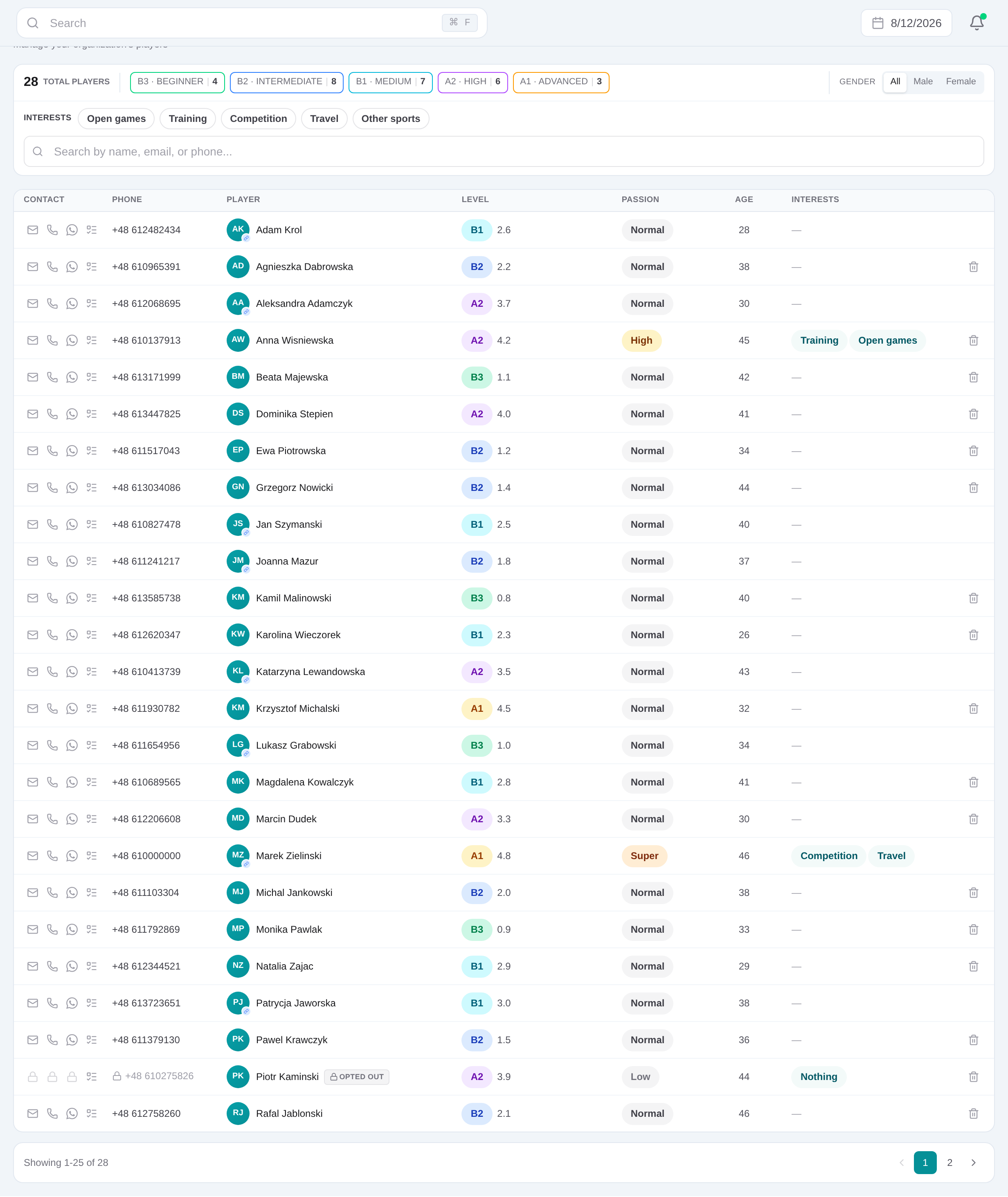
Search and narrow the list
Search by player details and use level, gender or interest filters to isolate the correct contact.
Open the player slide-over
Choose the player row. The profile route opens the editable record while keeping the list available behind it.
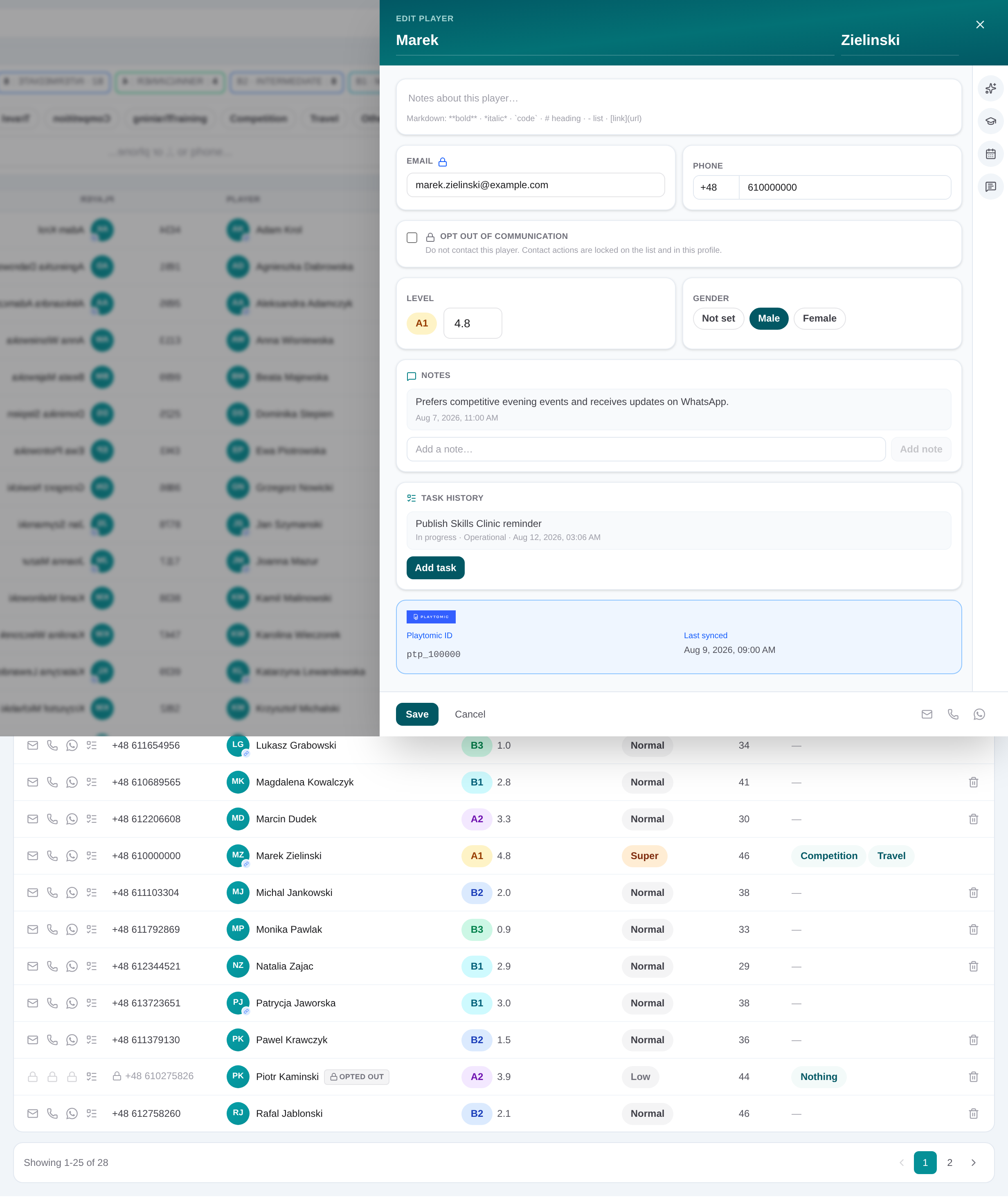
Update contact and playing details
Maintain name, phone with country prefix, email, gender and numeric skill level. Leave optional values blank when they are not known.
Record notes, interests and communication choices
Add dated notes, set the player’s interests, choose communication preferences and record opt-out status before outreach.
Check Academy, Events and Conversations
Use the side tabs to review or add relevant course interest, manage future event participation, or open linked conversation days before deciding the next action.
Related content
Maintain your padel player CRM
Use Dashboard → Players search and filters, update one profile, then check linked academy, event and conversation context before follow-up.
Get started