Run a live padel tournament
Open the prepared event, start play, direct each generated round, save results immediately, and use standings for the next decision.
Before you start
The tournament must have a valid roster, court count, format settings and schedule-ready status.
What you will have
All planned rounds and any final stage will have recorded results and the tournament can be completed with final standings.
Tips
Nominate one score operator. Enter results as courts finish so the next round is based on current data.
Troubleshooting
If a score will not save, check the format’s valid score range and correct the entry before leaving the field.
Steps
Open Dashboard → Tournaments → the event
Use the In progress tab when available and confirm the roster, active courts and current round state.
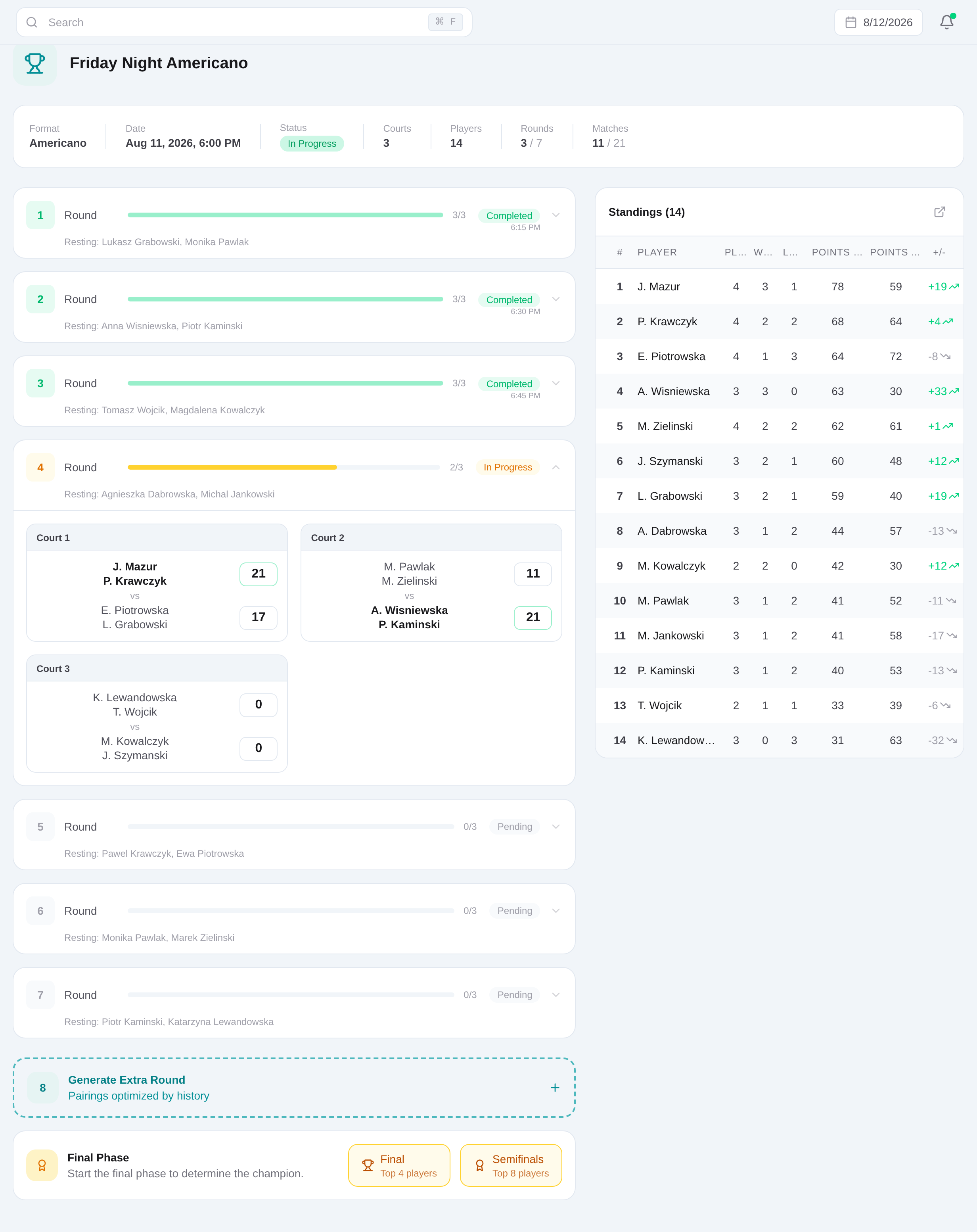
Start when players and courts are ready
Move the prepared tournament into progress at the start of play. Settings and roster edits become restricted as the lifecycle advances.
Generate the next round
Use the live tournament action to create the round from the configured format and available roster.
Send players to displayed courts
Read the match and court assignments from the live view and announce them before play starts.
Enter each completed result
Update the inline score fields and leave the field or press Enter. Valid changed scores save and feed the tournament results.
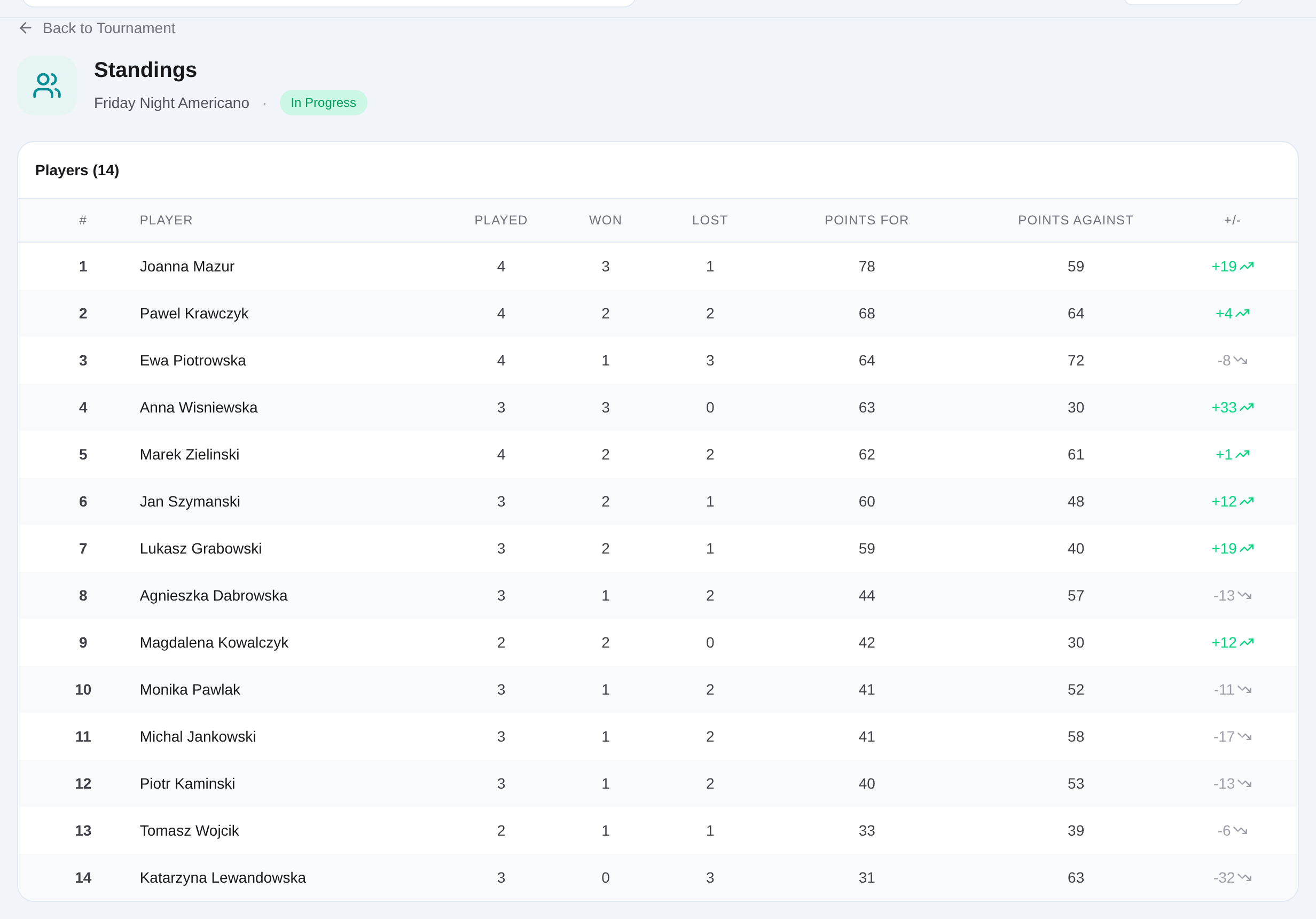
Open Standings before the next stage
Review positions after the current scores are saved. Use the authenticated standings to make the next operational decision.
Run finals and complete the tournament
Generate or play any configured final stage, save its results, then complete the tournament after all planned matches finish.
Related content
Run a live padel tournament
Open the prepared event, start play, direct each generated round, save results immediately, and use standings for the next decision.
Get started