Premium private beta

Supervised WhatsApp AI for padel clubs

Move from an inbound WhatsApp question to a reviewed reply and an owned club follow-up, while a person controls every outbound send.

ForClub ownersReception & operationsAcademy managers
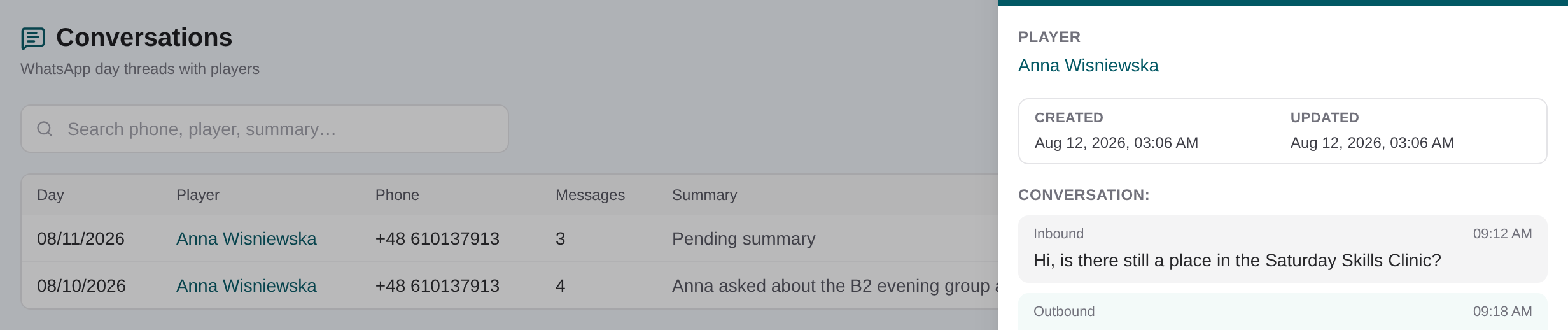
Conversation detail panel showing the day’s complete WhatsApp message turns

Start with the inbound message and contact

A direct message is matched to the CRM by phone. For a new, non-spam contact, the workflow can create a basic player record from the WhatsApp display name and phone, so staff have a record to continue from rather than an isolated chat.
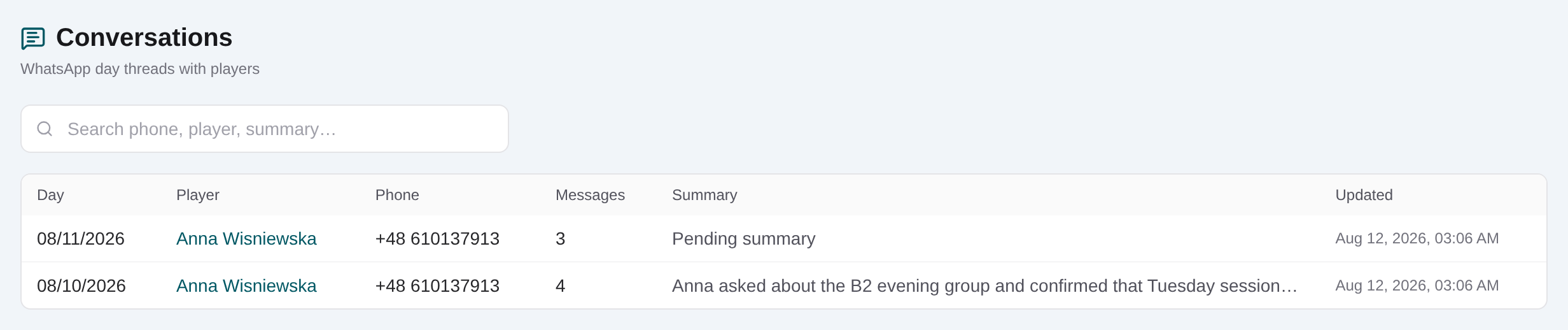
Daily WhatsApp conversation list linked to CRM players
Reception can open the day’s customer conversation from a searchable, player-linked list.

Review CRM facts and prior conversations

Before replying, check the linked player’s contact details, notes, communication preferences, academy history and recent day-by-day conversations. Open Dashboard → Players → the player → Conversations when you need the customer history beside the CRM record.

Player profile Conversations tab showing linked WhatsApp history
Conversation history stays linked to the player profile so staff can review context before responding.

How the supervised reply workflow works

The sequence below covers the operational path from inbound message to draft, approval, send, retained history and follow-up. A draft is only a proposal: the operator can revise or reject it, and only explicit approval releases the outbound message.

01

Receive and classify the inbound message

The workflow resolves the direct-message phone. A known phone uses its CRM player; a new non-spam contact can receive a basic CRM record, while sales or spam should not create customer follow-up.

Daily WhatsApp conversation list linked to CRM players
Reception can open the day’s customer conversation from a searchable, player-linked list.
02

Confirm the linked player

Check name, phone and relevant CRM facts. For an inbound customer turn, context is locked to that contact rather than searching unrelated players.

Player profile Conversations tab showing linked WhatsApp history
Conversation history stays linked to the player profile so staff can review context before responding.
03

Read recent turns, summaries and academy context

Review up to the recent conversation context available to the assistant, including today’s unsummarized turns, plus the player’s relevant academy enrollment history.

04

Review and revise the proposed reply

Treat the assistant text as a draft. Check facts, tone, customer language, prices and promised action; request changes or reject it when needed.

05

Explicitly approve the exact outbound text

Only the human approval decision releases the pending WhatsApp message. Rejection sends nothing, and no autonomous reply is permitted.

06

Keep the exchange in conversation history

Inbound and approved outbound turns append to the day record. Staff can later read the open day’s turns or its saved daily summary from Conversations or the player profile.

Conversation detail panel showing the day’s complete WhatsApp message turns
Review the full unsummarized exchange before continuing customer follow-up.
07

Create the supervised operational follow-up

The operator can create or update a task, create a meet, or create an academy interest enrollment with its linked follow-up task. The same enrollment can also be completed in Dashboard → Academy. Customer inbound turns cannot perform these operator-only actions themselves.

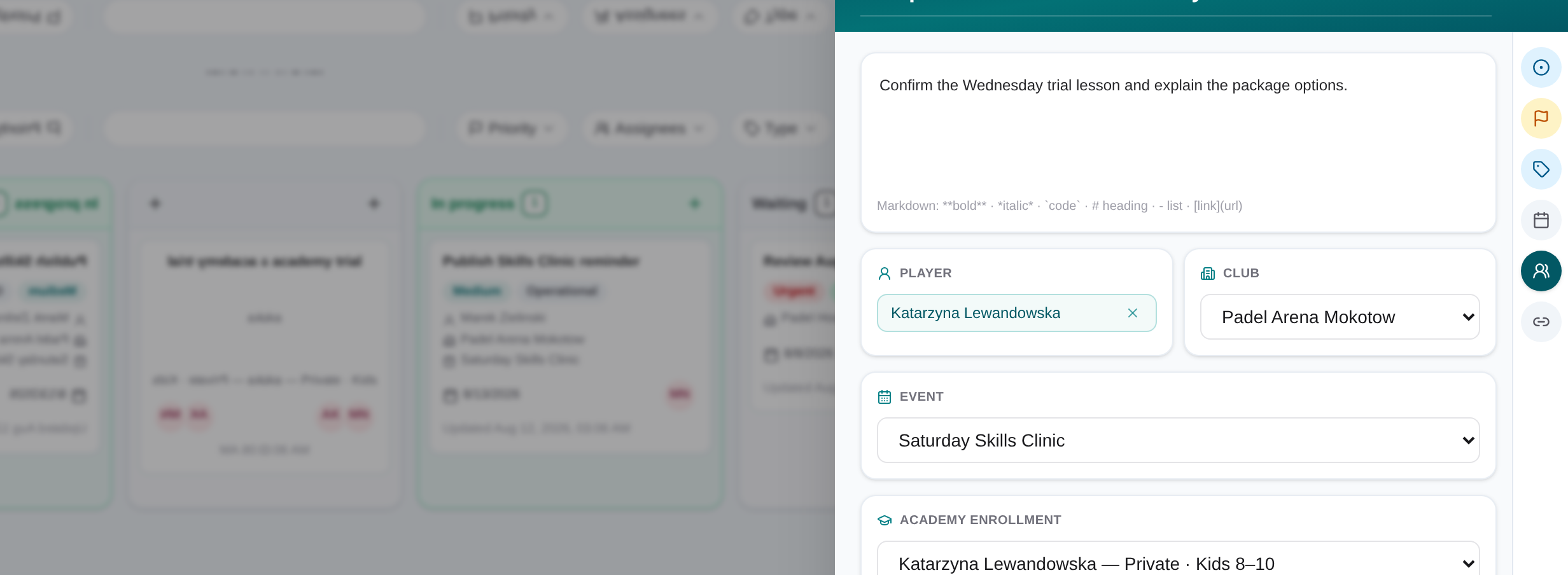
Task slide-over with assignee, due date, linked record and checklist
Task details keep the owner, deadline, checklist and operational context in one view.
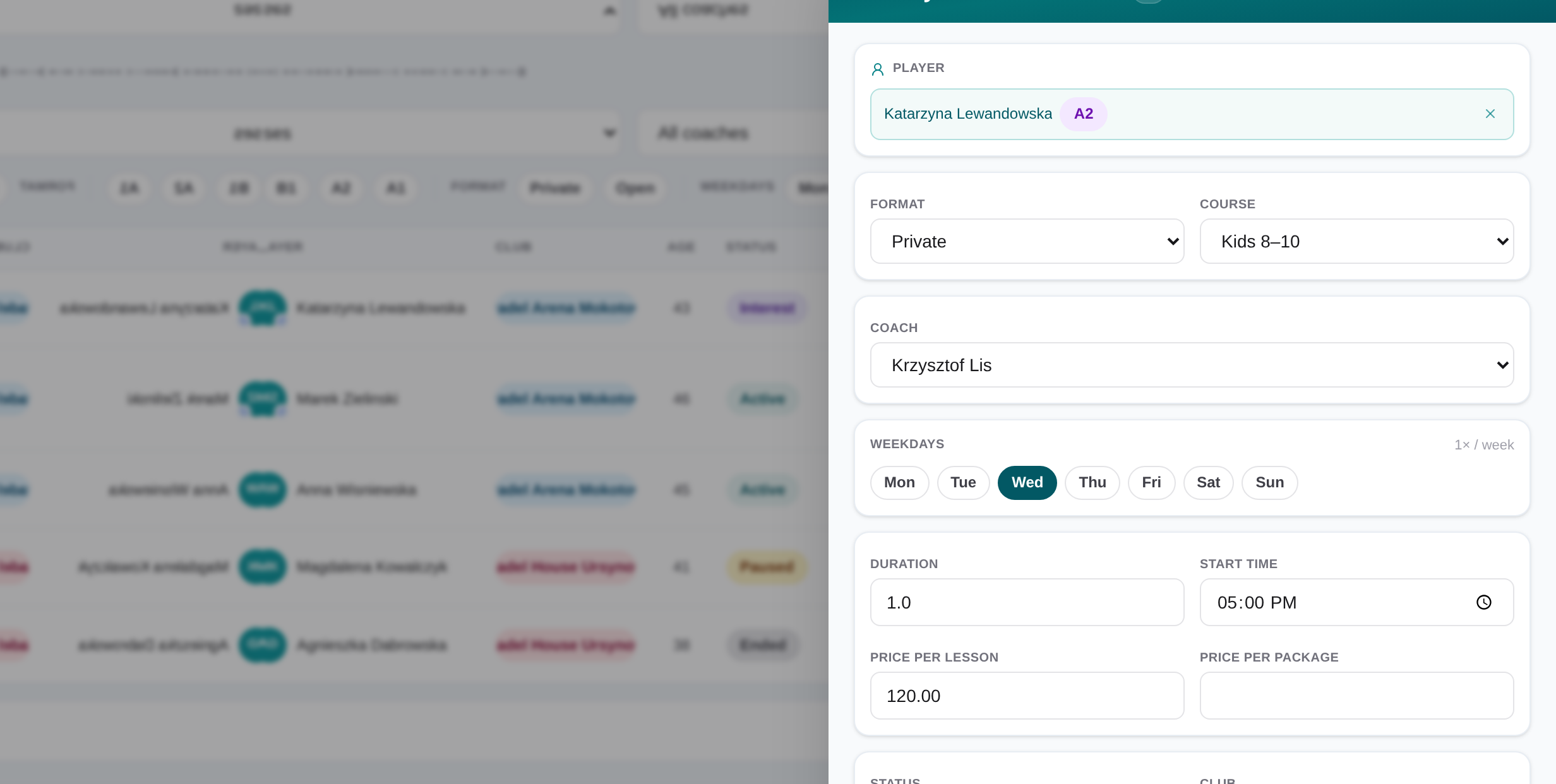
Academy interest enrollment slide-over with linked follow-up task
An academy lead record holds course details and the high-urgency task that drives the next follow-up.
Conversation detail panel showing the day’s complete WhatsApp message turns
Review the full unsummarized exchange before continuing customer follow-up.

Keep communication and actions under operator control

Inbound customer turns cannot use operator-only meet, task or enrollment workflows. Outbound text remains pending until a person approves it, and staff decide whether the request should become operational work.

Turn the conversation into owned work

After the reply, the operator can create or update a task, create a meet, or create an academy interest enrollment (which also creates a linked high-urgency follow-up task). Staff can also complete the same enrollment work in Dashboard → Academy. These remain operator-supervised decisions, not autonomous actions triggered by the customer message.

Task slide-over with assignee, due date, linked record and checklist
Task details keep the owner, deadline, checklist and operational context in one view.
Academy interest enrollment slide-over with linked follow-up task
An academy lead record holds course details and the high-urgency task that drives the next follow-up.

Frequently asked questions

Supervised WhatsApp AI for padel clubs

Move from an inbound WhatsApp question to a reviewed reply and an owned club follow-up, while a person controls every outbound send.

Request AI beta access