Create and complete club tasks
Turn a request into owned work, preserve its linked context, use checklist and notes during execution, and close it visibly.
Before you start
Know the expected outcome and, where relevant, the player, club, event or academy enrollment that caused the work.
What you will have
The task will show ownership, deadline, progress and linked context, and end in Done when the work is complete.
Tips
Write the title as an outcome, not a vague topic. Use Notes for dated updates and Checklist for finite actions.
Troubleshooting
If an assignee or player is hard to find, use the member selector or typeahead search rather than trying to load every record.
Steps
Open Dashboard → Tasks
Choose Kanban for status flow or List for detailed filtering by status, priority, type, assignee, player relation and club.
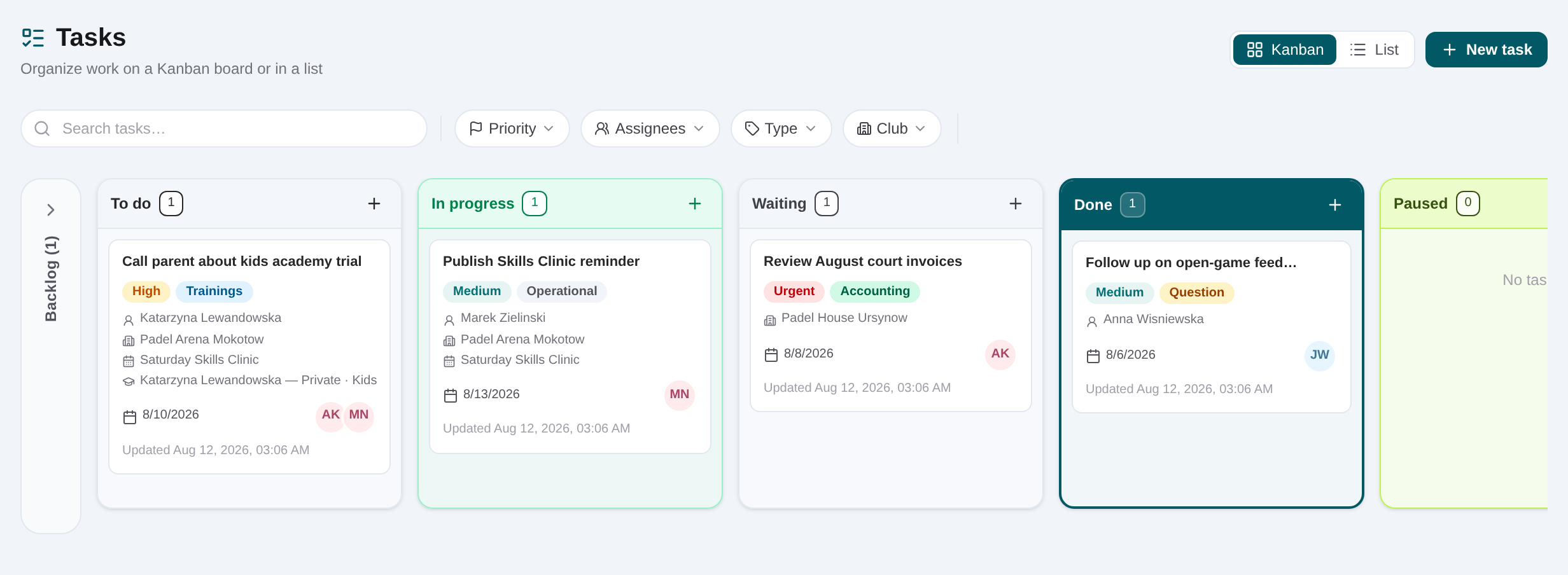
Create the task in the correct status
Choose New task or add from a Kanban column. Enter a specific title and description of the expected result.
Set priority, due date and assignees
Open the task’s details rail, select the operational priority, choose a due date and add one or more responsible colleagues.
Attach the source record
Link the player, club, event or academy enrollment when the task comes from that workflow. This gives the assignee a direct route back to the facts.
Add checklist items
Break multi-step work into checkable actions. Save the task, then tick items as they are completed.
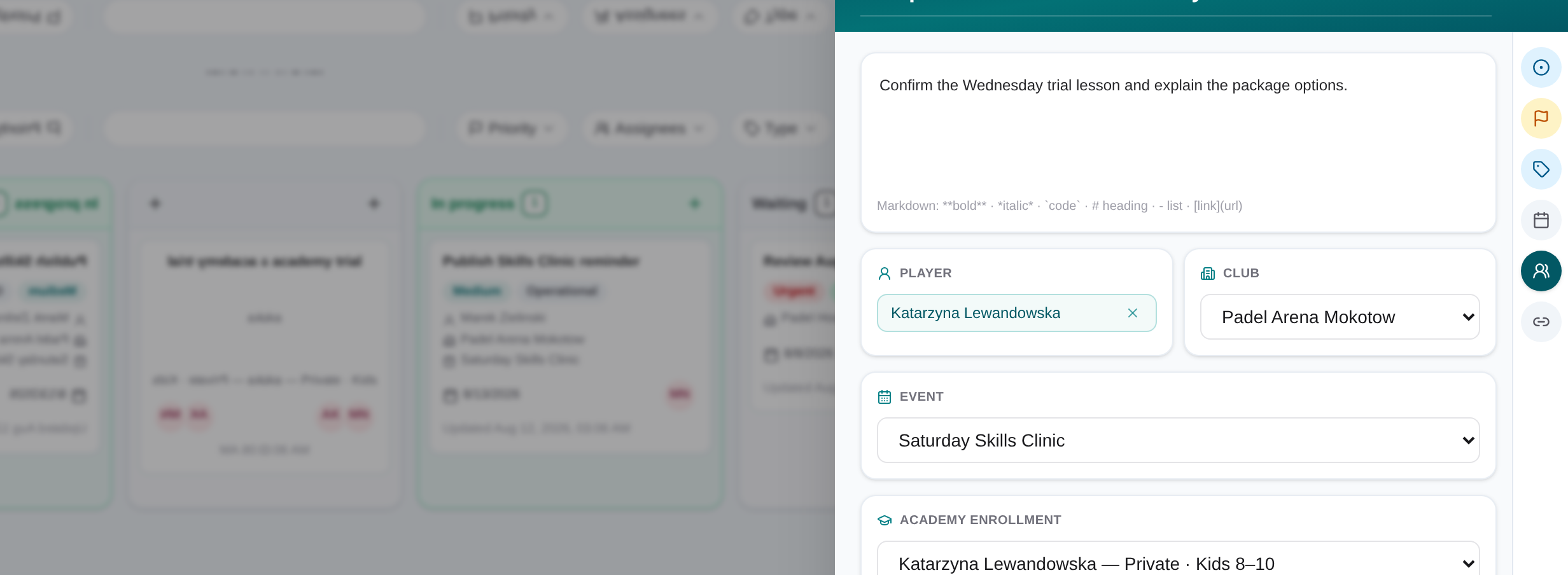
Record progress and move status
Add dated notes for new information and move the card or update status as work proceeds.
Finish in Done
Confirm the outcome and linked record are current, complete the remaining checklist, and set the task to Done.
Related content
Create and complete club tasks
Turn a request into owned work, preserve its linked context, use checklist and notes during execution, and close it visibly.
Get started