Available

Padel academy management

Capture a private or open course enquiry, assign the linked follow-up, confirm schedule and price, then move the enrollment through its real lifecycle.

ForAcademy managersCoachesReception & operations
Academy enrollment list with program, club and status filters

How to move an academy enquiry forward

Open Dashboard → Academy and create an enrollment in Interest. Select the CRM player—or the parent/contact for a kids course—then record the requested program and assign the required follow-up task before saving.

01

Open Dashboard → Academy

Use search and status, format, level, weekday, coach or club filters to check whether the contact already has an enrollment.
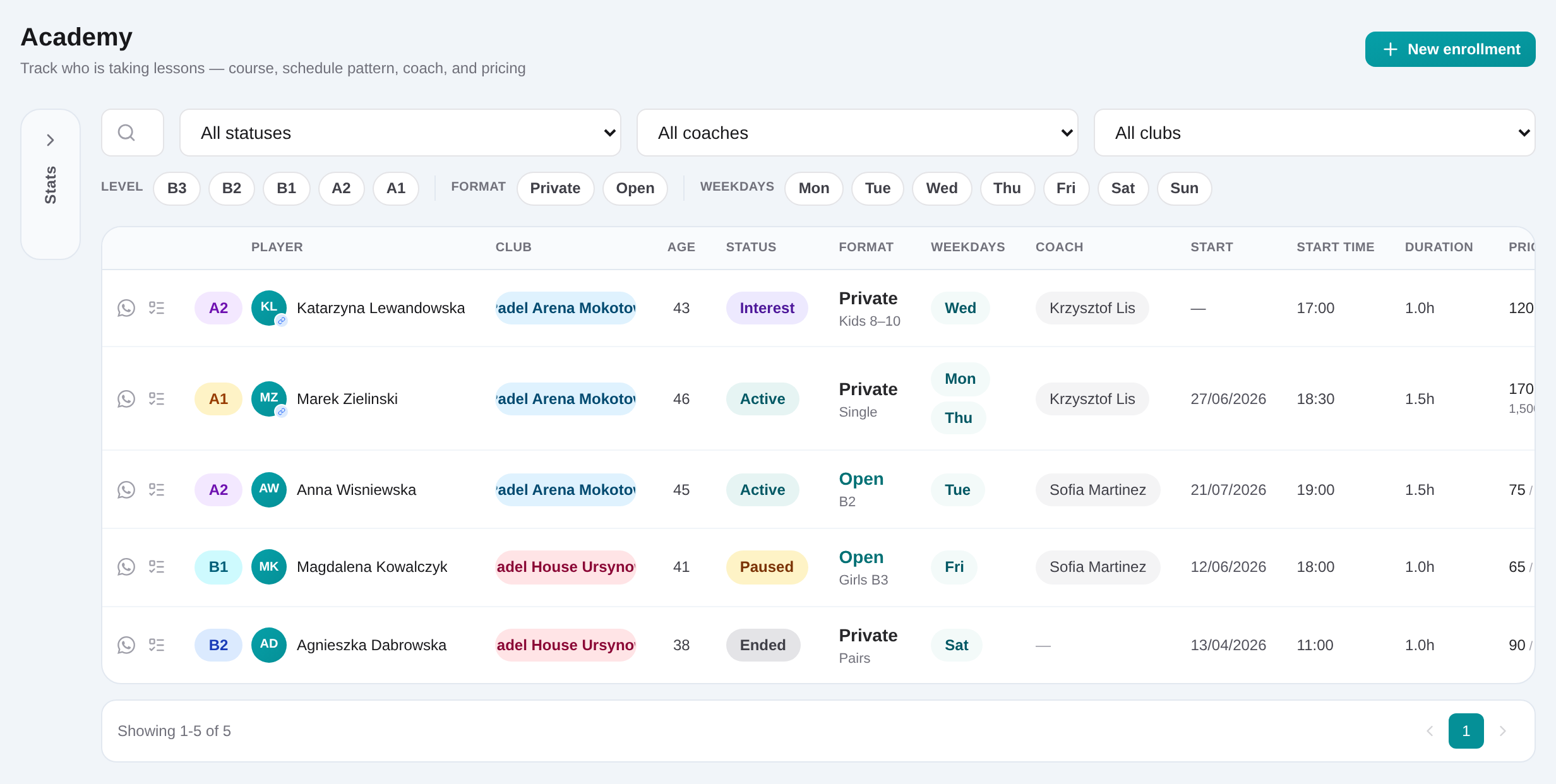
Academy enrollment list with program, club and status filters
Academy managers can filter private and open enrollments by course details and lifecycle status.
02

Create an Interest enrollment

Choose the CRM player, Private or Open program, course type, club and any known coach, schedule, duration and pricing details.
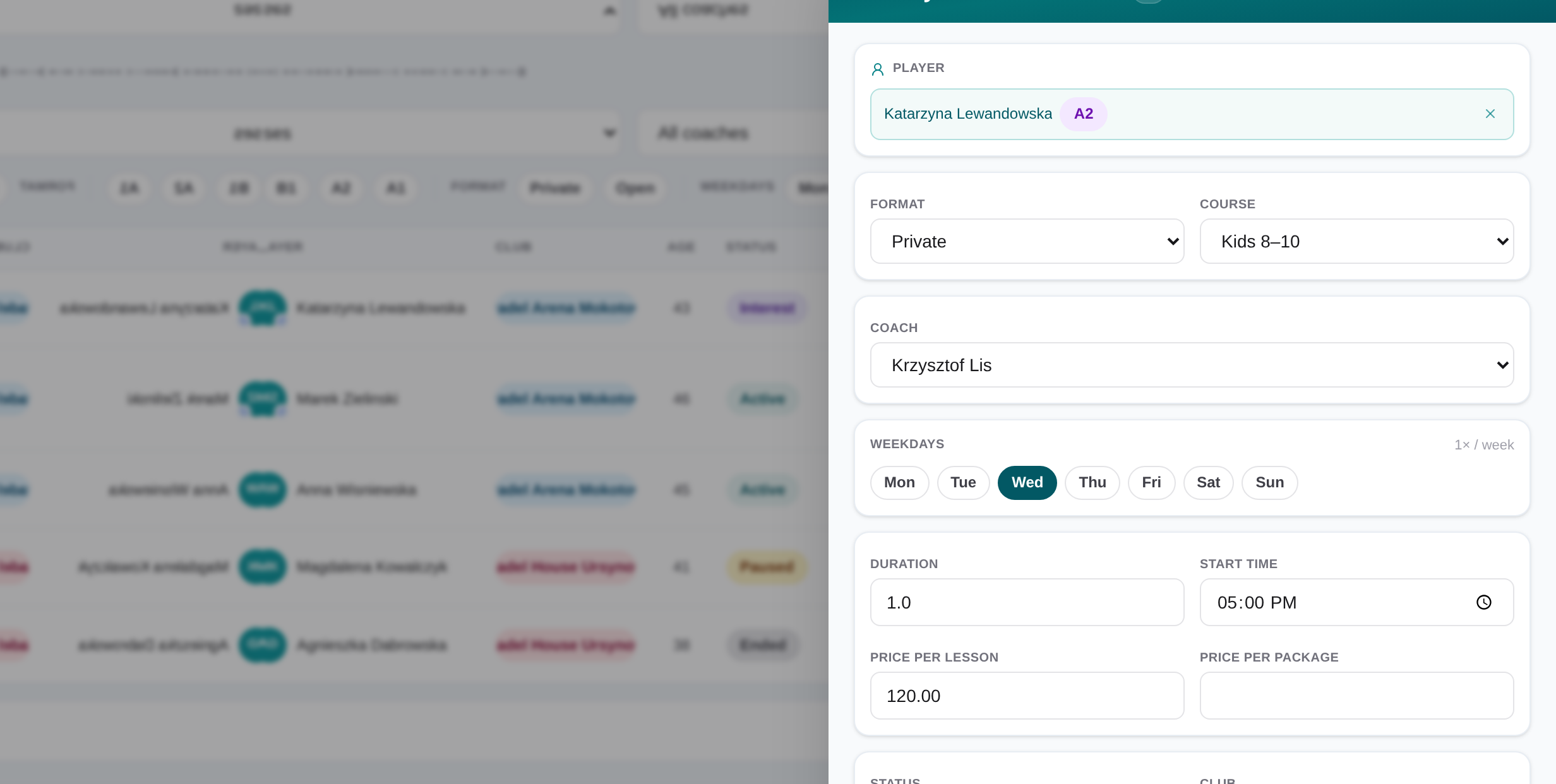
Academy interest enrollment slide-over with linked follow-up task
An academy lead record holds course details and the high-urgency task that drives the next follow-up.
03

Name and assign the follow-up task

Before saving the new Interest, enter the required task title, task type and assignees. The saved task links back to the player, club and enrollment.
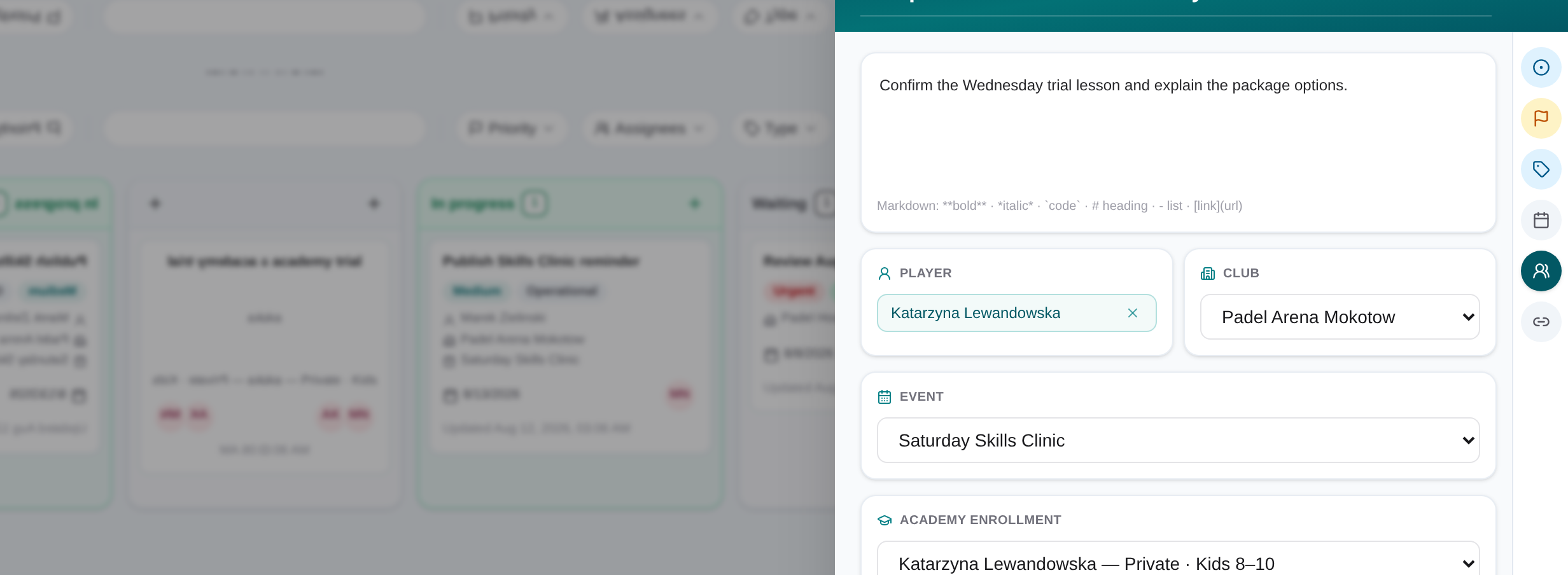
Task slide-over with assignee, due date, linked record and checklist
Task details keep the owner, deadline, checklist and operational context in one view.
04

Confirm schedule and price with the contact

Use the task to own the conversation. Update weekdays, start time, lesson duration, coach, mandatory lesson price and optional package price as they become firm.

05

Add notes and update the task

Put dated enrollment context in Notes and complete the task checklist or status when the agreed follow-up is finished.

06

Change status to Active

Set the enrollment to Active only after the course is agreed. Use Paused or Ended later when participation changes.

Academy enrollment list with program, club and status filters
Academy managers can filter private and open enrollments by course details and lifecycle status.

Describe the course precisely

Choose Private or Open, then the applicable format, adult level or kids age band. Add weekdays, start time, lesson duration, coach, club, mandatory price per lesson and optional package price so the offer is clear to the next staff member.

Use status and tasks as the handoff

A new Interest record creates a linked high-priority follow-up task. Record notes above the task list, confirm details with the contact, and change the enrollment to Active, Paused or Ended when the real situation changes.

Academy interest enrollment slide-over with linked follow-up task
An academy lead record holds course details and the high-urgency task that drives the next follow-up.

Frequently asked questions

Padel academy management

Capture a private or open course enquiry, assign the linked follow-up, confirm schedule and price, then move the enrollment through its real lifecycle.

Get started